Installation Instructions
Video Guide
Text Guide
-
Install the latest Microsoft Visual C++ Redistributable.
Classic: vc_redist.x86.exe
Enhanced: vc_redist.x64.exe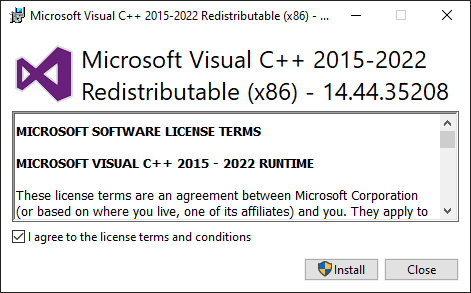
-
Download the latest release from github.
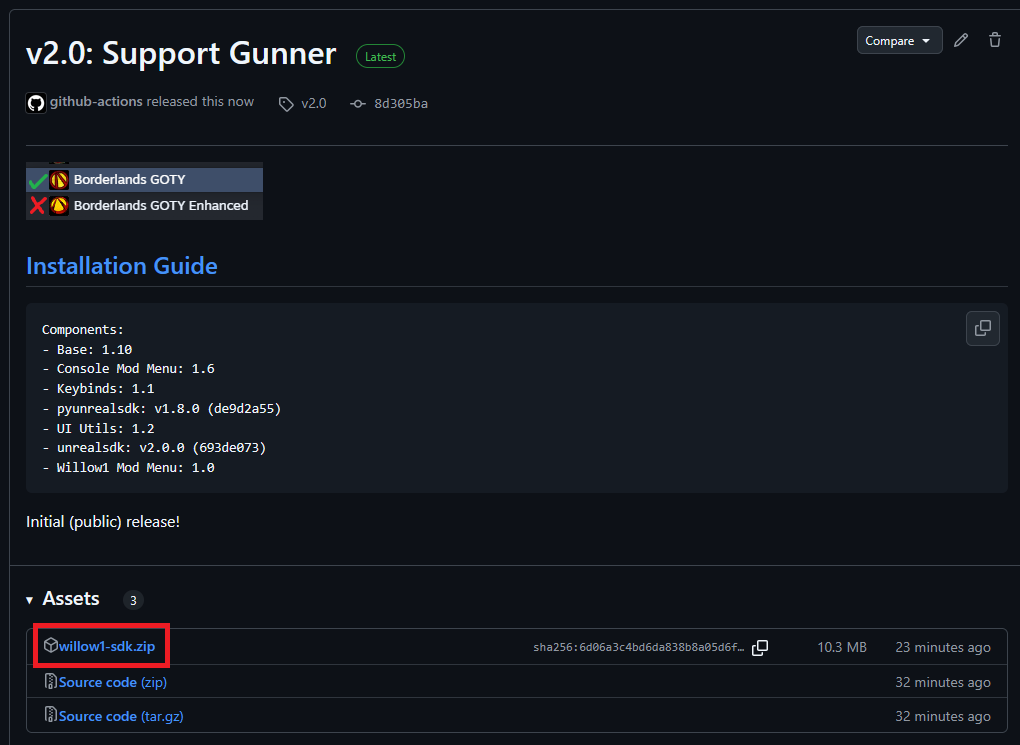
Make sure not to download one of the the source code links.
-
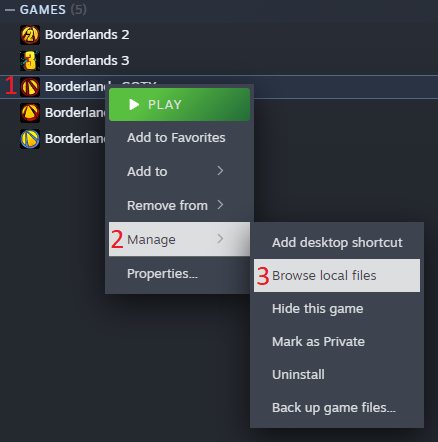
Locate your game files.
The default locations are:
Classic:C:\Program Files (x86)\Steam\steamapps\common\Borderlands
Enhanced:C:\Program Files (x86)\Steam\steamapps\common\BorderlandsGOTYEnhancedYou can also find this via RMB -> Manage -> Browse Local Files.
-
Open up the zip you downloaded, and extract it’s contents directly into the game folder, such that they merge.
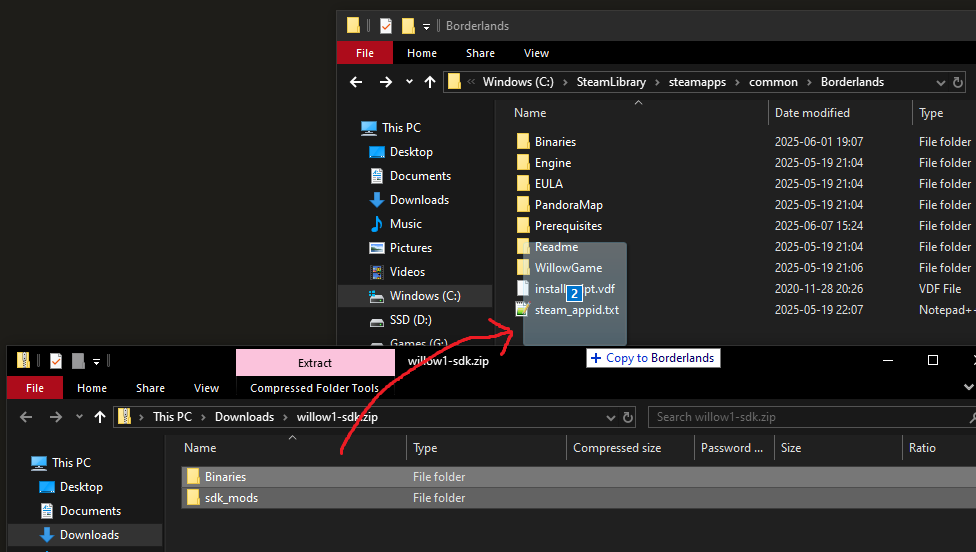
If you’re asked to overwrite existing files, accept.
-
[PROTON ONLY] When playing on Linux via Proton, you need to add one of the following sets of launch args.
Classic:
WINEDLLOVERRIDES="dsound=n,b" %command% -pf_tricks=vcrun2022Enhanced:
WINEDLLOVERRIDES="dinput8=n,b" %command% -pf_tricks=vcrun2022 -
The SDK should be installed now. You should see a new
MODSoption on the main menu. You can click this to start configuring your mods.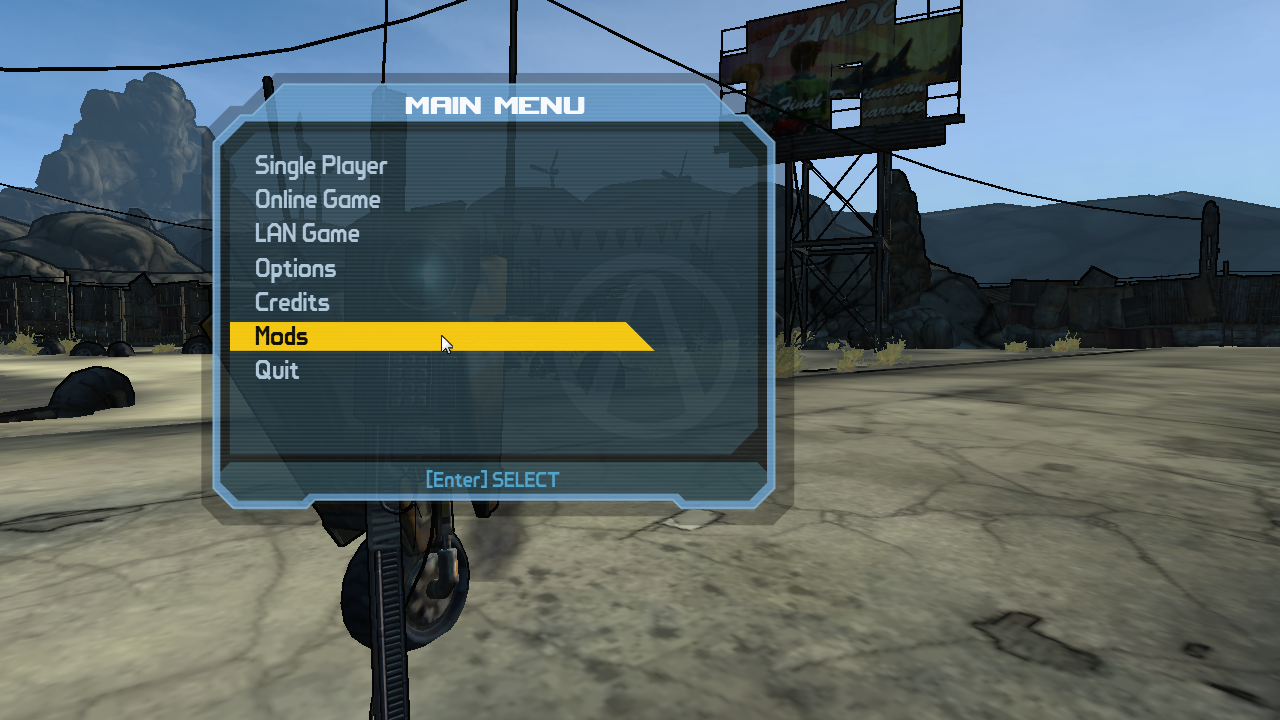
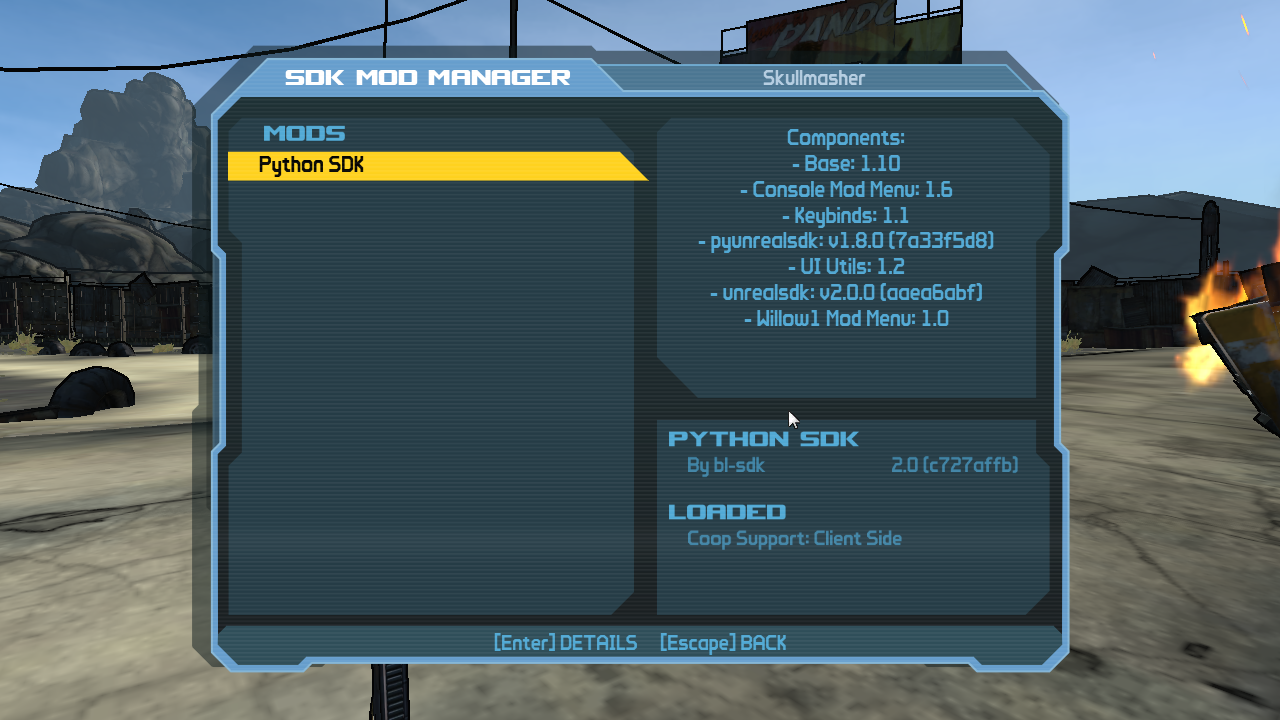
- To install SDK mods, navigate back to the
sdk_modsfolder you extracted during step 4. SDK mods come in three forms:-
.sdkmodfiles can be dropped directly into this folder.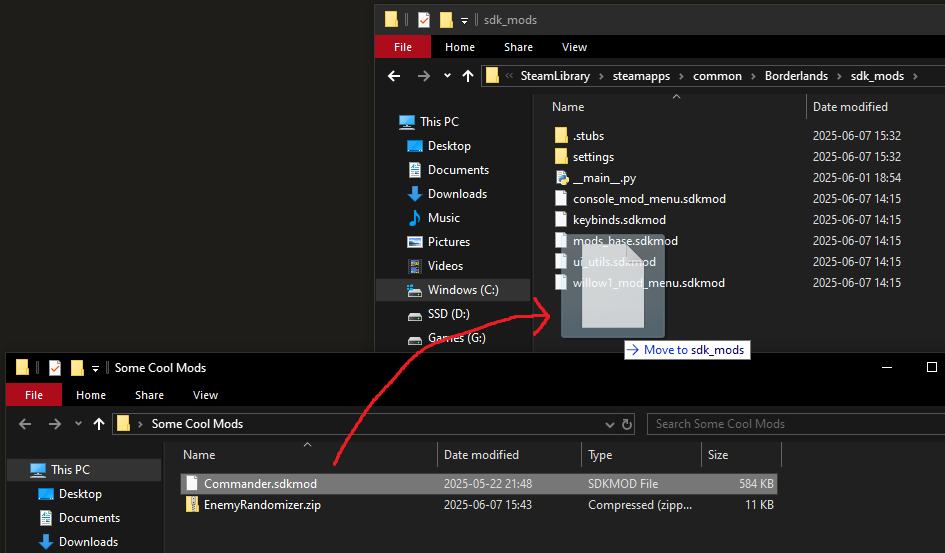
-
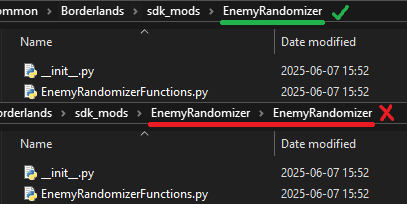
.zipfiles which contain only a single folder need to be extracted intosdk_mods. Drag the inner folder in a similar manner to how you extracted the SDK.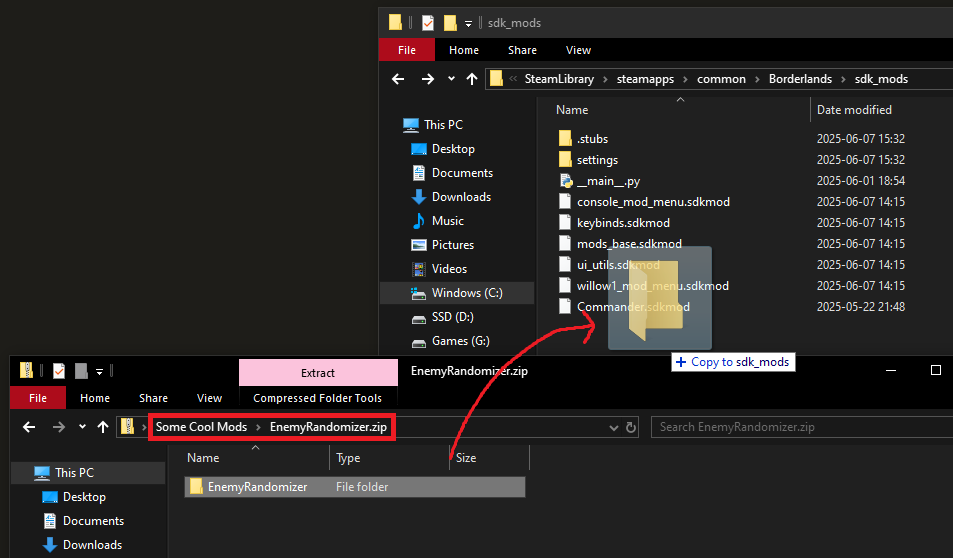
Make sure that when you extract you don’t accidentally create two nested folders, this will not work.
-
.zipfiles which have both ansdk_modsfolder and some other folder (usuallyWillowGame) need to be extracted back into the base game folder, in the exact same way as the SDK.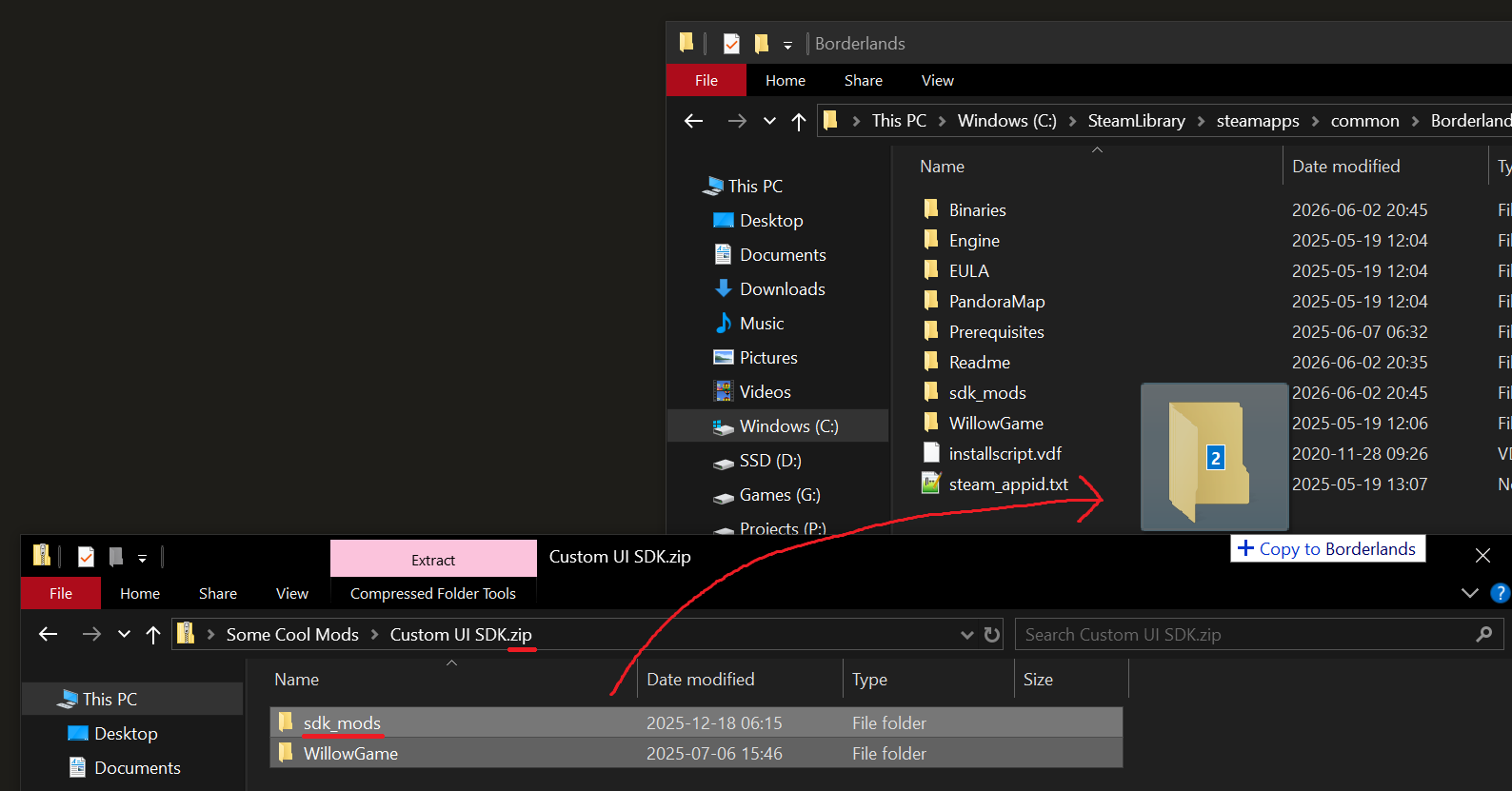
These are hybrid mods, they need all the files in the zip, not just the
.sdkmod.
-
- After installing SDK mods, you need to restart the game for them to get loaded.