
2-Player Split-Screen Unlocked
Utility- By
- Latest
0.9.1- Supports
- BL4
- Coop
- Host Only The mod runs primarily on the host, and can be used without clients having it installed. There may still be aspects which work better if everyone's running it.
- License
- GPL3
- Requires
- BL4 Mod Manager
oak2_mod_manager >= 0.3
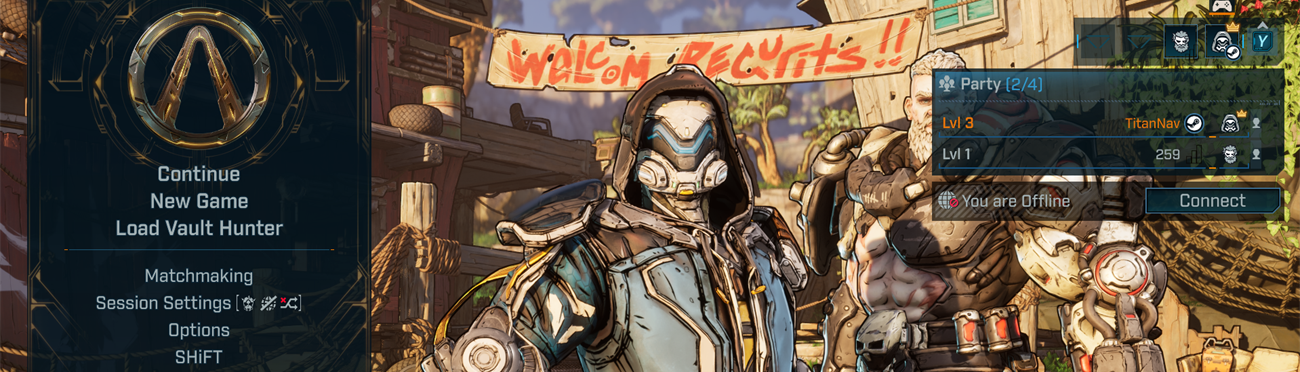
Local two-player split-screen for Borderlands 4 on PC. Player 2 joins on the main menu, uses their own characters, and plays alongside Player 1 on one screen.
This is a beta and has only been tested in the first area after the prologue.
Requirements
You need two controllers, both plugged in before you launch the game. Player 1 can use keyboard and mouse or the first controller. Player 2 uses the second controller.
Mod menu
Open the console and type mods to find these options:
- Auto-join Player 2: adds Player 2 on the main menu when a second controller is connected. On by default.
- Add / Remove Player 2: adds or removes Player 2 on the main menu. Console command
bl4ss_p2, hotkey F7. - Swap control for P2 character creation: see below. Console command
bl4ss_swap, hotkey F8.
Hotkeys often don’t work on the title screen, so use the console commands or buttons there.
Creating a new character for Player 2
The Shared Progression screen only accepts input from Player 1, so Player 1 has to pick for Player 2. You only need to do this once per character.
- Player 2 picks Create Vault Hunter, then a difficulty.
- On the Shared Progression screen, run
bl4ss_swap. - Use the first controller to choose Shared Progression and Player 2’s class.
- Control swaps back on its own once the class is picked.
New Player 2 characters start at level 1 without an action skill.